
Instagram is one of the best platforms for promoting OnlyFans because of the reach. Reels can put you in front of thousands of people who do not follow you yet, and the DM layer lets you convert them directly.
But Instagram is also the platform most likely to ban you for it.
As the owner of a six figure OnlyFans agency, Instagram is a core part of the traffic funnel on every account we manage. We have had accounts flagged, restricted, and shadowbanned. Everything in this guide comes from what we learned getting it wrong first. This covers how to promote OnlyFans on Instagram safely, what language to avoid, and how to turn followers into subscribers without risking your account.
Why Promote OnlyFans on Instagram?
Instagram gives you two things no other platform combines. Discovery and direct messaging.
Reels reach people who do not follow you yet. A strong Reel can put your content in front of tens of thousands of new eyes in a single day. And unlike Reddit or Twitter, once someone finds you on Instagram, you can message them directly. That combination of organic reach plus a private conversion channel is why Instagram consistently outperforms other platforms for OnlyFans promotion on the accounts we manage.
For a full overview of all platforms read our guide on how to promote OnlyFans.
How to Set Up Your Instagram Profile for OnlyFans
Your Instagram profile is your landing page. Get three things right.
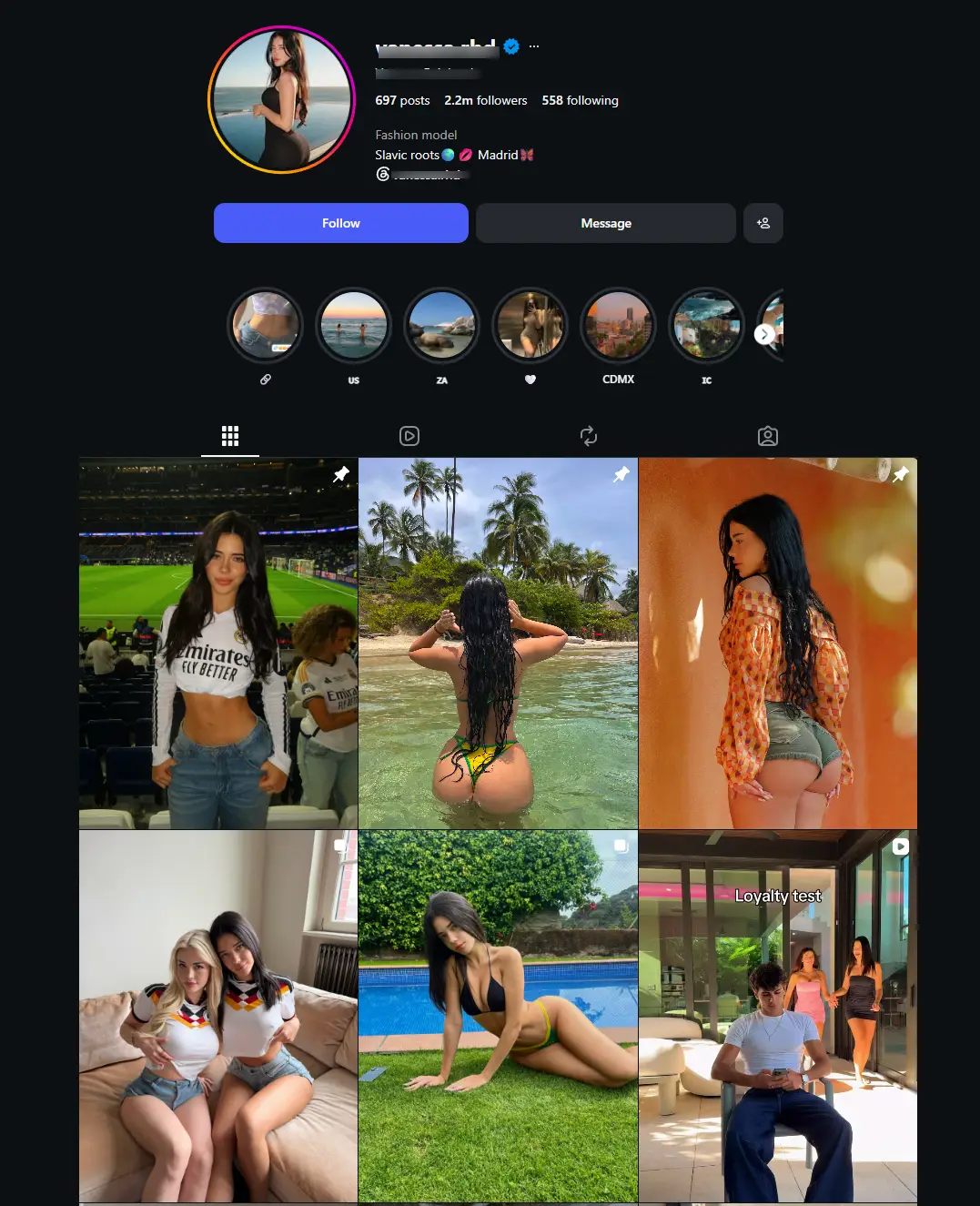
Separate account. Create a dedicated one named after the model. You are building a brand, and using the model name helps with SEO. When someone searches that name on Google, your Instagram profile will show up alongside your OnlyFans page.
Bio language. Never mention OnlyFans by name anywhere on your public profile. Your bio should feel like a real person, not an ad. Start with something personal like your location or a short quote, then hint at exclusive content without naming the platform. Lines like "exclusive content", "yes I have", or "the answer is yes" work because followers already know what they are looking for. You do not need to spell it out. On our accounts we never use the word OnlyFans anywhere public on Instagram.
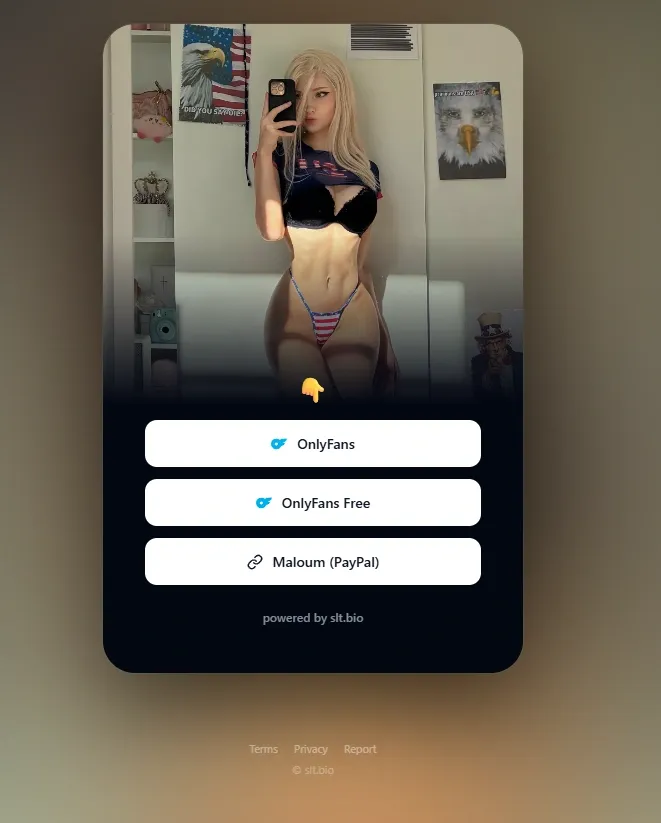
Bio link. Do not put a direct OnlyFans link in your bio. Use a link aggregator like Linktree or Beacons, though the best approach right now is to build your own landing page instead. Your OnlyFans URL lives on the aggregator page, which is not subject to Instagram's content restrictions. One mistake we see constantly is creators filling their link page with social media links. Do not do this. The only link that matters is your OnlyFans. Every other link is a distraction that sends traffic somewhere it cannot convert.
For how to set up your OnlyFans profile itself read our complete profile setup guide.
What to Post on Instagram to Promote OnlyFans
Instagram is not OnlyFans. Everything you post publicly must comply with Instagram's community guidelines. That means no nudity, no explicit language, no suggestive content that triggers manual review.
Do not post whatever comes to mind. Every post should have a purpose and fit your niche. Before you start, study what other creators in your niche are doing on Instagram. Look at what type of Reels get the most views, what captions they use, and how they structure their profile. You do not need to copy them. You need to understand what works in your space and then do it better. Not sure what your niche is? Read our complete OnlyFans niche guide.
What works is teaser content that creates curiosity without revealing what is behind the paywall.
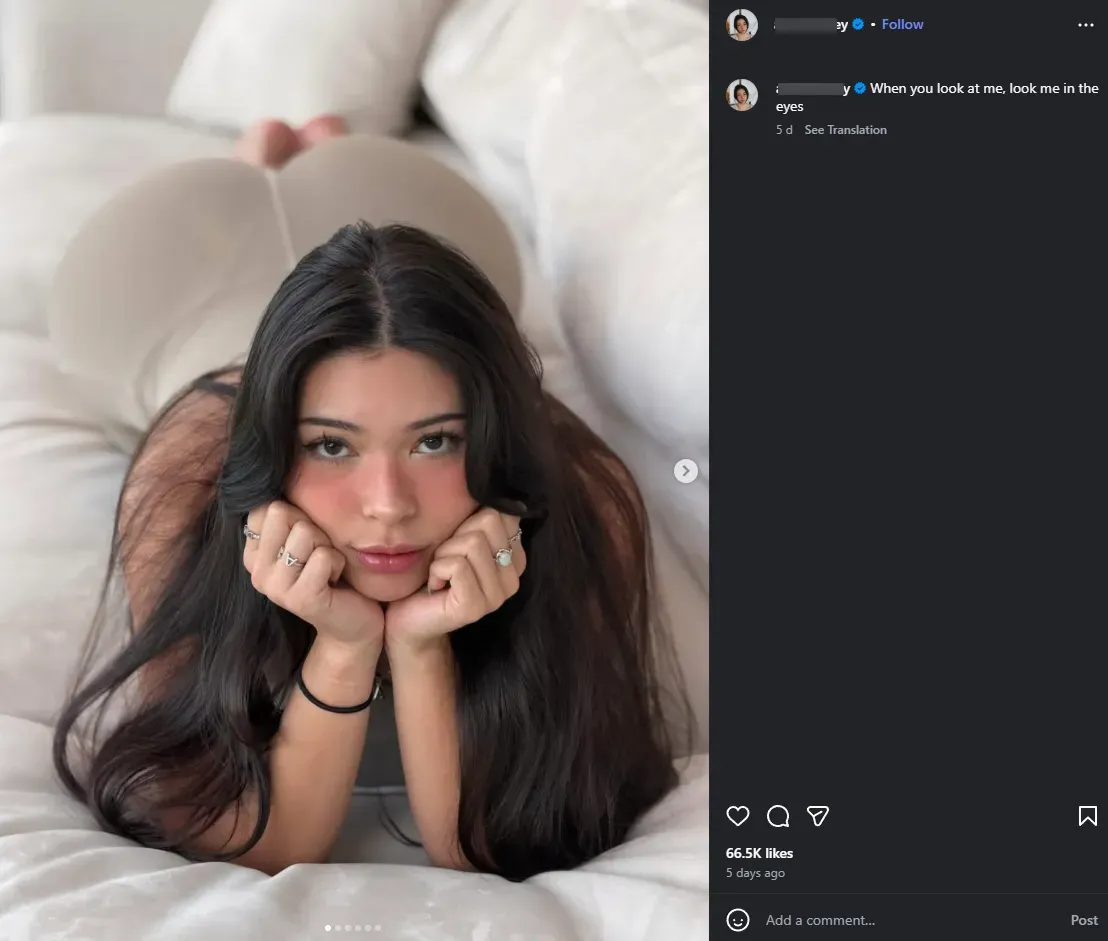
Reels. The primary discovery tool. Short, personality driven clips that show who you are without showing what subscribers pay for. A strong hook in the first two seconds decides whether someone watches or scrolls. From experience, Reels where the model talks directly to camera with subtitles always perform best.
Stories. Daily stories keep you visible to existing followers. Use polls, questions, and behind the scenes content to build connection. Post a CTA story every single day, but never just one story. A single story gets skipped. Multiple stories throughout the day keep you at the front of the feed and give followers more chances to engage. Stories also let you use Close Friends as an intermediate tier between your public content and your OnlyFans.
Highlights. Have at least two highlights with a minimum of three stories in each. On both of them include a link to your landing page. Highlights are the first thing visitors see on your profile after the bio. They stay permanently and give new visitors an immediate path to your link without scrolling through your feed.
Pinned posts. Pin your three best performing tease photos to the top of your grid. These should highlight the model's strongest features. If she has bigger breasts, lean into that. If she has a great physique, show it. Pinned posts are the first content a profile visitor sees and they decide whether someone clicks the bio link or leaves.
Captions. Never describe your OnlyFans content explicitly. Use curiosity driven language. End every caption with a call to action that moves people toward your DMs or bio link.
Close Friends. Add engaged followers to your Close Friends list and share content that is more personal but still within Instagram's guidelines. This creates a warm layer that makes the step to OnlyFans feel natural. On our accounts, Close Friends content consistently drives higher DM conversion than public posts.
The Instagram to OnlyFans Funnel
The creators who convert best on Instagram run a simple funnel.
|
👁 Step 1 |
Discovery Reel or story reaches new people through Instagram's algorithm. Thousands see you for the first time. |
↓
|
👤 Step 2 |
Profile visit They click your name. Pinned posts, highlights, and bio confirm you are worth following. |
↓
|
🔗 Step 3 |
Link click Bio link takes them to your landing page. One link, no distractions. |
↓
|
👑 Step 4 |
Subscribe They subscribe to your OnlyFans. The funnel delivered. |
If any step is weak, the whole funnel breaks. Most creators lose people between profile visit and link click.
Every step exists to move someone closer to that final click. If any step is weak, the whole funnel breaks. From experience, most creators lose people between Step 2 and Step 3 because the profile does not look trustworthy enough or the bio gives no reason to click.
How to Avoid Getting Banned on Instagram
Never use restricted words publicly. OnlyFans, subscribe, and explicit language in captions or bio are the fastest triggers.
Keep content within guidelines. Suggestive is fine. Explicit is not. If you are unsure whether something crosses the line, it probably does.
Do not spam DMs. Sending mass unsolicited messages gets flagged fast. Let people come to you through engagement, then respond personally.
Do not follow and unfollow. This strategy does not work on your main account if you do it manually. Instagram detects the pattern and restricts your reach or flags the account entirely.
Run a backup account. Have a secondary account ready. If your primary gets restricted, you can continue promoting while appealing.
FAQ
Can you promote OnlyFans on Instagram?
Yes, but never mention OnlyFans by name publicly. Use neutral language, a link aggregator in your bio, and move the real conversation into DMs where restrictions do not apply.
What is the best way to promote OnlyFans on Instagram?
Reels for discovery, captions with a DM call to action, and personal conversion in DMs. This funnel outperforms a passive bio link significantly.
Will Instagram ban you for promoting OnlyFans?
Not for the promotion itself. Bans come from using restricted language publicly, posting content that violates guidelines, or spamming DMs. Promote within the rules and the account is safe.
Should I use Linktree for my OnlyFans link?
Yes. A link aggregator removes the OnlyFans domain from your Instagram profile and adds an email capture layer as backup.
Final Thoughts
Instagram rewards creators who understand the line between public content and private conversations. Everything public stays clean, compliant, and curiosity driven. Everything private, in DMs, is where the real conversion happens.
Most creators get banned because they treat Instagram like OnlyFans. The ones who succeed treat Instagram as a discovery and conversation platform that routes traffic to OnlyFans through a clean funnel.
If your OnlyFans bio is not ready to convert the traffic yet, start with our OnlyFans bio examples guide.